得物怎么开启青少年模式
1、ste,1,点击“我”。如图所示:

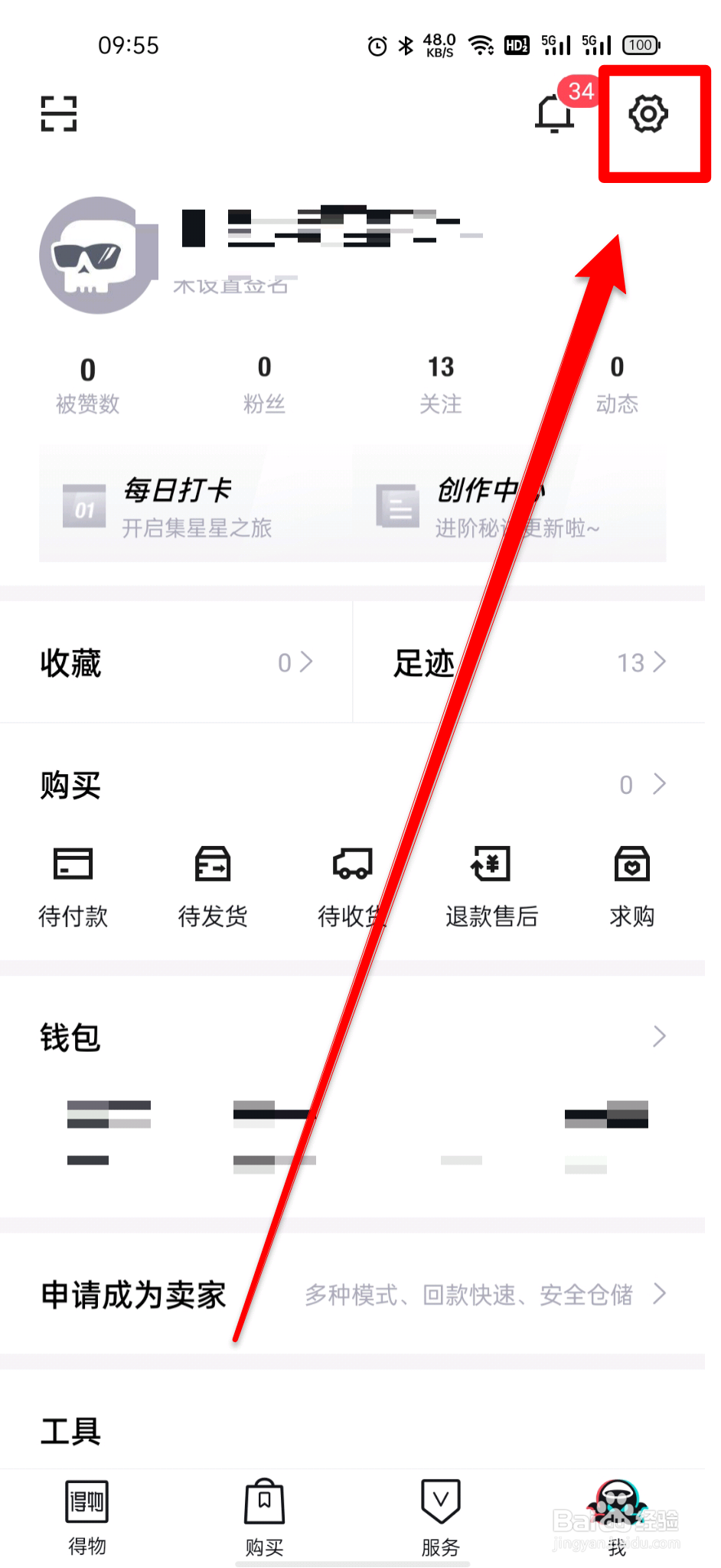
2、step2,点击右上角“设置”。如图所示:
3、step3,点击“青少年模式”。如图所示:
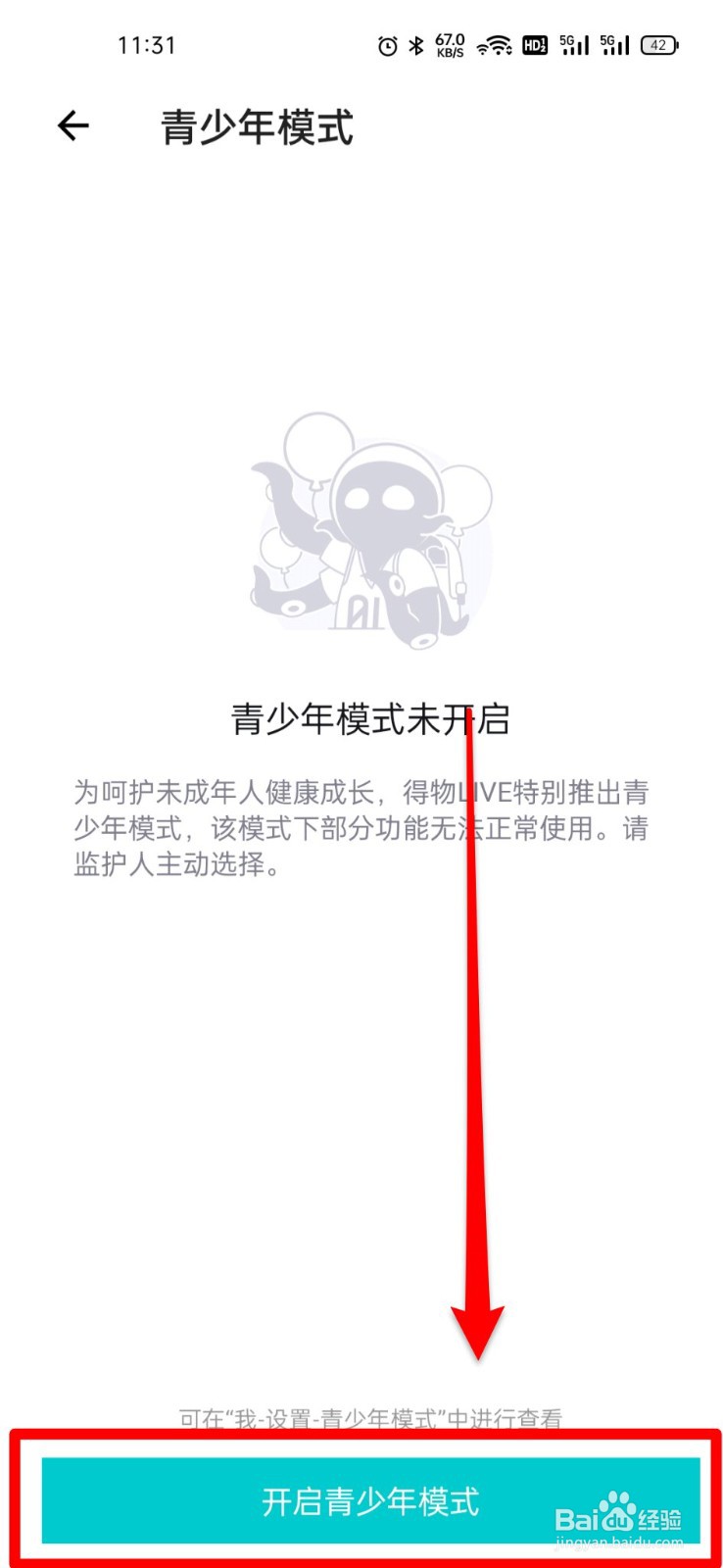
4、step4,点击“开启青少年模式”。如图所示:

5、step5,设置青少年模式密码。如图所示:

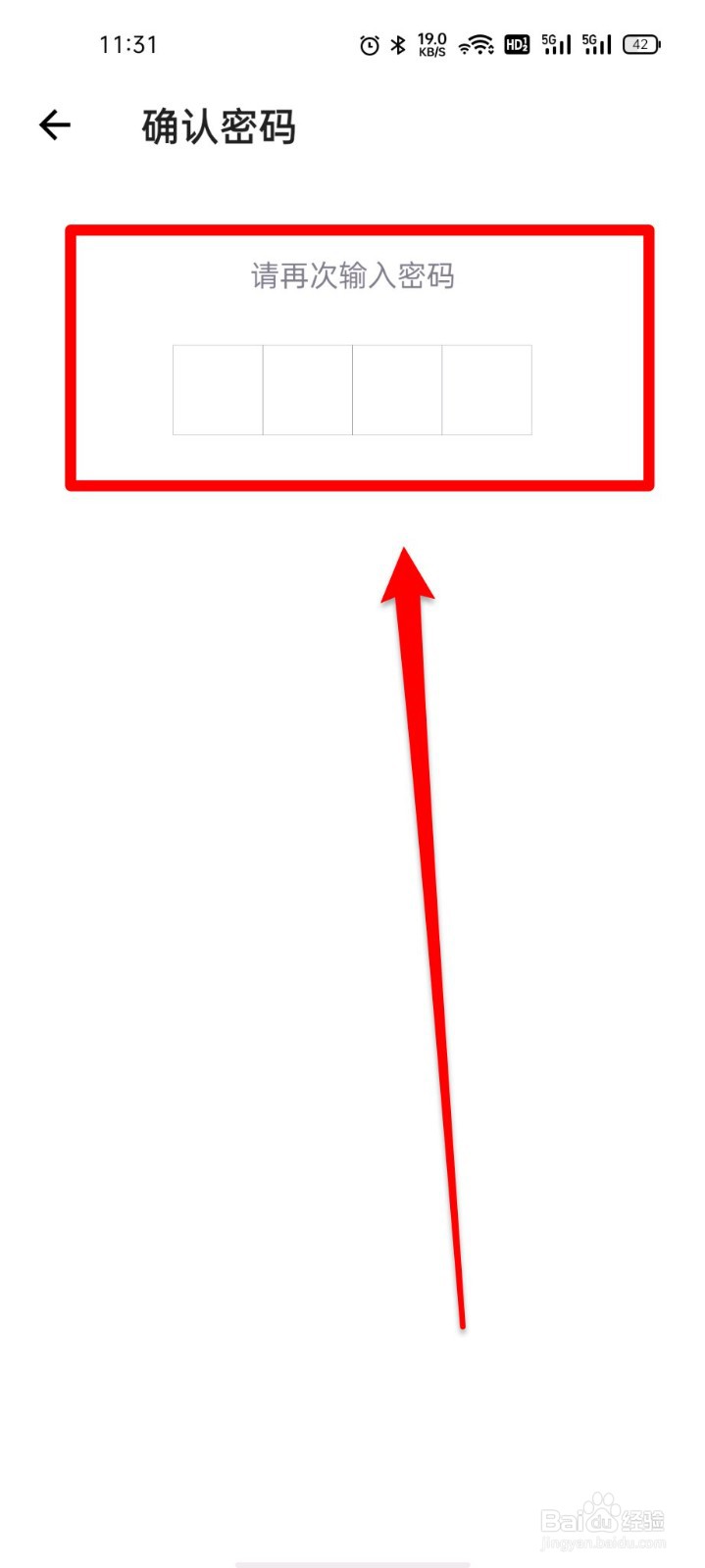
6、step6,再次确认密码即可开启青少年模式。如图所示:
阅读量:65
阅读量:82
阅读量:90
阅读量:36
阅读量:162
1、ste,1,点击“我”。如图所示:
2、step2,点击右上角“设置”。如图所示:
3、step3,点击“青少年模式”。如图所示:
4、step4,点击“开启青少年模式”。如图所示:
5、step5,设置青少年模式密码。如图所示:
6、step6,再次确认密码即可开启青少年模式。如图所示: