Illustrator如何显示十字线
1、就在我们的Illustrator软件中,找到画板工具命令按钮。

2、然后我们就能双击这个画板命令按钮。

3、此时我们就能在这里找到常用的显示属性。
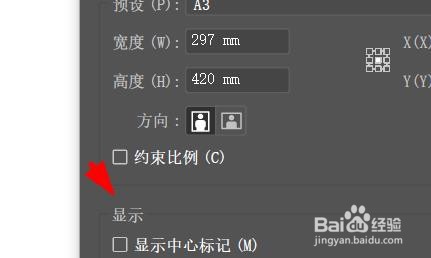
4、于是我们可以在这里显示我们的十字线。

5、确认勾选十字线之后,我们按下确定按钮。

6、这时候,我们就能在画板中看到十字线了。

1、就在我们的Illustrator软件中,找到画板工具命令按钮。
2、然后我们就能双击这个画板命令按钮。
3、此时我们就能在这里找到常用的显示属性。
4、于是我们可以在这里显示我们的十字线。
5、确认勾选十字线之后,我们按下确定按钮。
6、这时候,我们就能在画板中看到十字线了。