nvstreamsvc.exe 应用程序错误
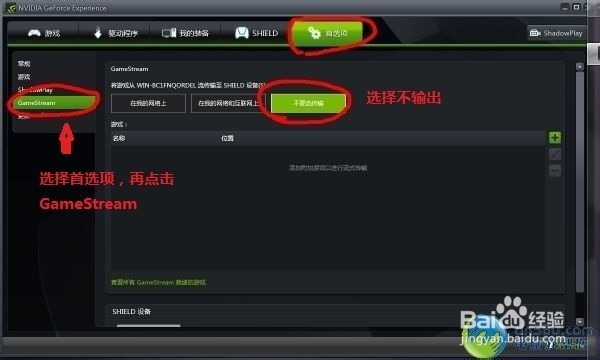
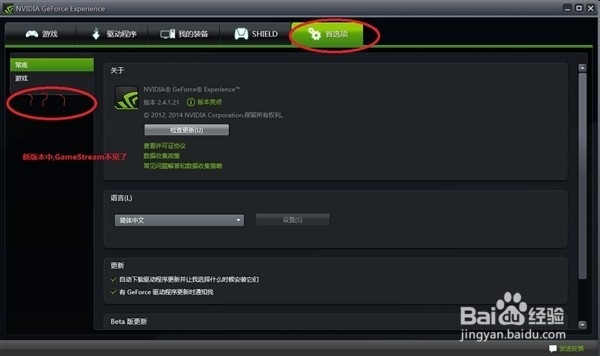
1、在旧版本中,曾经出现过这一问题,而解决办法为关闭GameStream,选择不传输。不过新版本移除了该项的选择(如图)。
2、解决方法:win8.1系统
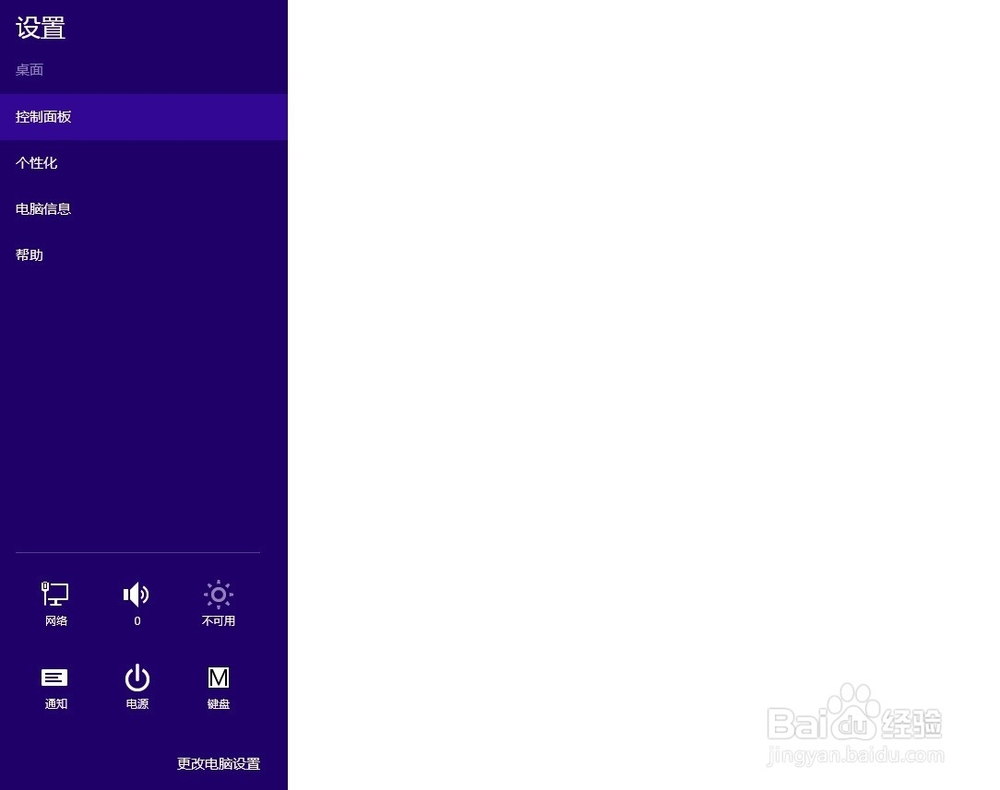
打开控制面板,如图
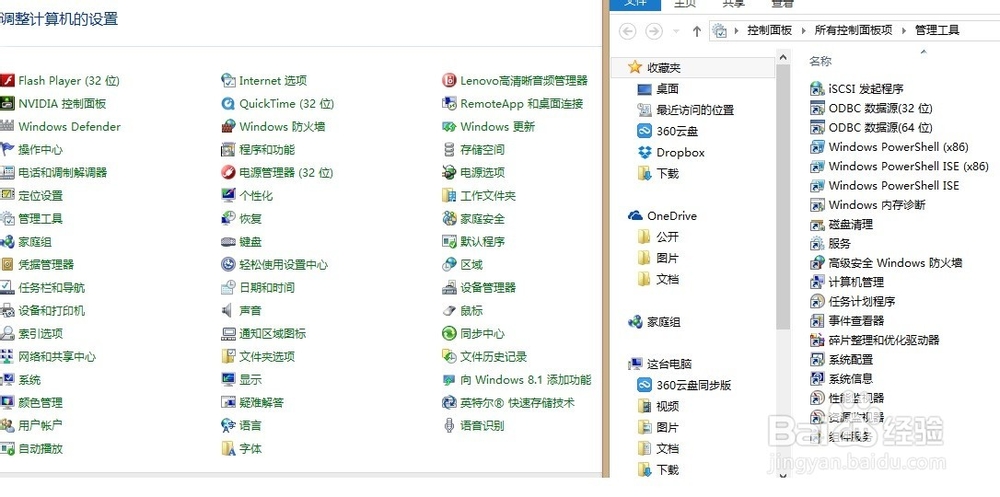
3、找到“管理工具-服务”
4、找到:NVIDIA Streamer Service 改为禁用或手动。
重启就可以了

阅读量:149
阅读量:71
阅读量:86
阅读量:150
阅读量:49
1、在旧版本中,曾经出现过这一问题,而解决办法为关闭GameStream,选择不传输。不过新版本移除了该项的选择(如图)。
2、解决方法:win8.1系统
打开控制面板,如图
3、找到“管理工具-服务”
4、找到:NVIDIA Streamer Service 改为禁用或手动。
重启就可以了